Steam Companion helps you spend less time choosing, more time playing. Organize your backlog, track wishlist deals, follow achievements and finally finish the games you've been buying for years.
Read-only Steam login. Steam Companion never modifies your Steam account.
Tonight's real quest
Pick something you already own
Open your backlog.
Start where the real problem lives: the games you already paid for and somehow still haven't touched.
Choose tonight's game.
Cut the library paralysis down to a few useful choices, then actually launch something before the evening disappears.
Track your progress.
Keep an eye on what you are finishing, what is almost done and which achievement rabbit hole is worth it.
Sound familiar?
✓I'll play it next weekend.
✓Steam Summer Sale got me again.
✓I own hundreds of games.
✓I still don't know what to install.
✓I spend more time choosing than playing.
✓I bought it because it was 90% off.
✓I keep saying “I'll finish it later.”
✓My wishlist grows faster than my completed games.
If at least one of those sounded familiar... Steam Companion was built for you.
Buy less. Play more.
Steam Companion is not about collecting more games, building a prettier pile, or pretending your wishlist is a personality test. It is about making the library you already own easier to enjoy.
The backlog is the product. Deals, achievements and free games are useful because they orbit the same question every Steam user eventually asks: what am I actually going to play?
What it helps with
Backlog first. Everything else supports it.
Backlog
Know what to play next. Not another endless list, not another guilt spreadsheet. Steam Companion turns your owned games into a clearer choice so tonight starts with playing, not scrolling.
✦Games you still haven't started
✦Almost-finished saves worth returning to
✦A smaller list when your library feels too loud
Wishlist Deals
Only buy games you'll actually play. Deals are great; buying another forever-maybe game because it is 85% off is how the backlog wins again.
✦Steam wishlist discounts
✦External store candidates
✦Preferred store filters
Achievements
Finish what you started. See missing achievements, rarity and personal targets without digging through three different screens every time motivation returns.
✦Unlocked vs missing
✦Global rarity
✦Notes and ongoing goals
Free Games
Claim what matters. Skip what doesn't. Free is nice, but your library does not need another random launcher trophy you will never install.
✦Live and upcoming freebies
✦Claimed / ignored / remind state
✦Direct store links
Real screens
From “what do I install?” to actually playing.
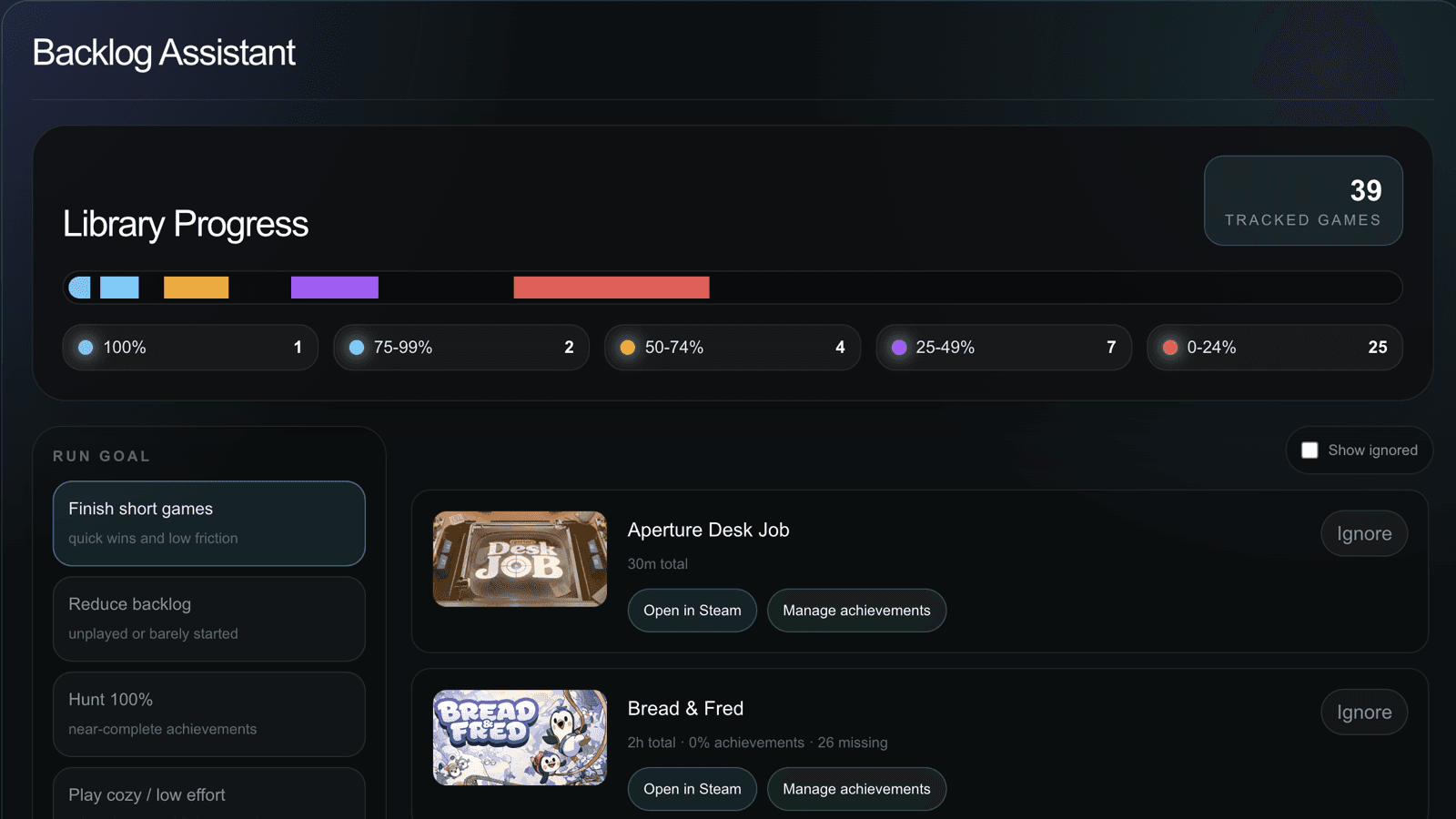
A quick look at the actual dashboard flow: backlog first, progress next, deals only when they help.
1
Open your backlog.
See the library pressure in one place instead of pretending you remember what you own.
2
Choose tonight's game.
Pick a realistic next play instead of scrolling until the Steam sale tab wins again.
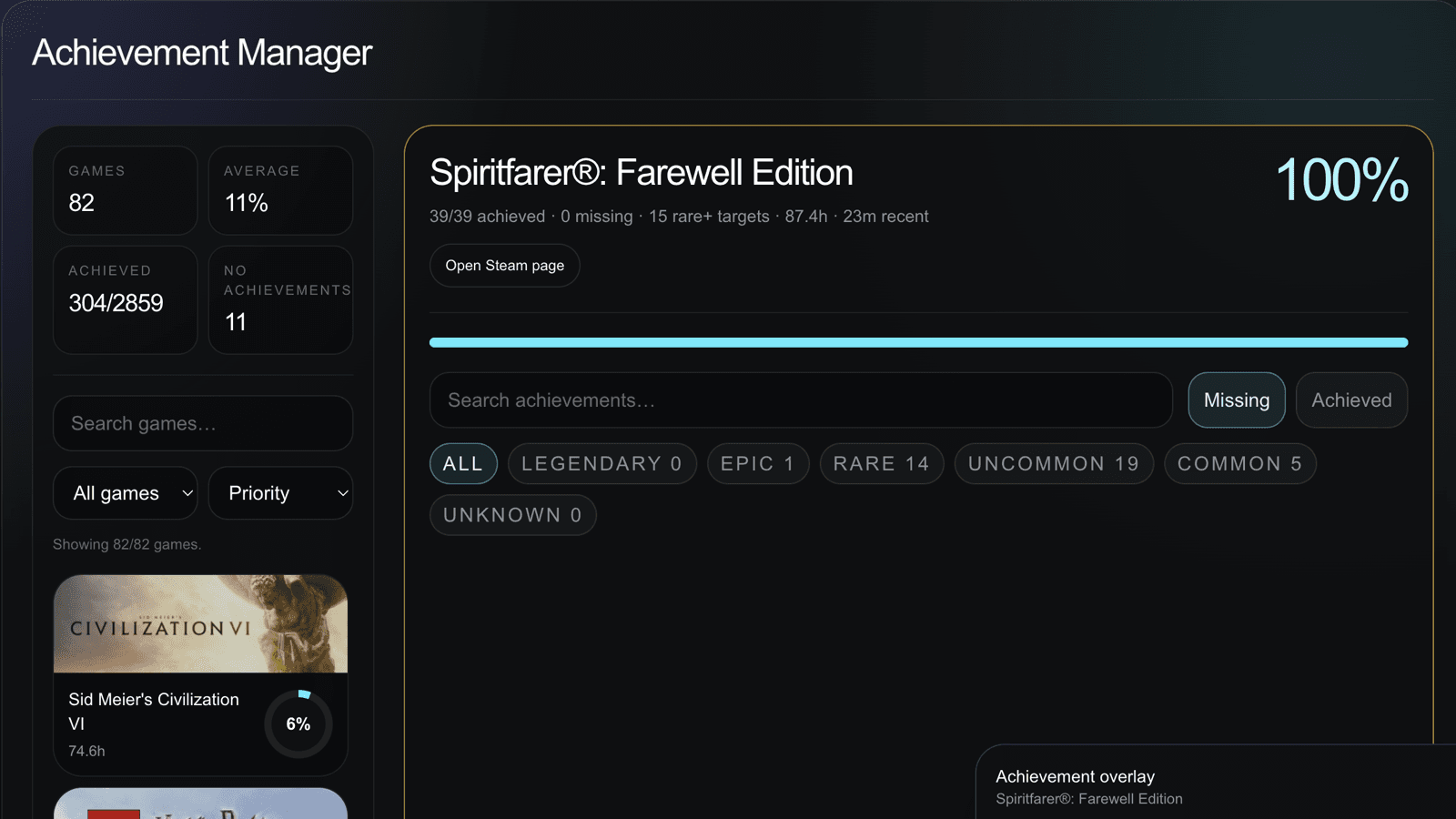
3
Track your progress.
Follow the games you are actually finishing, achievement rabbit holes included.
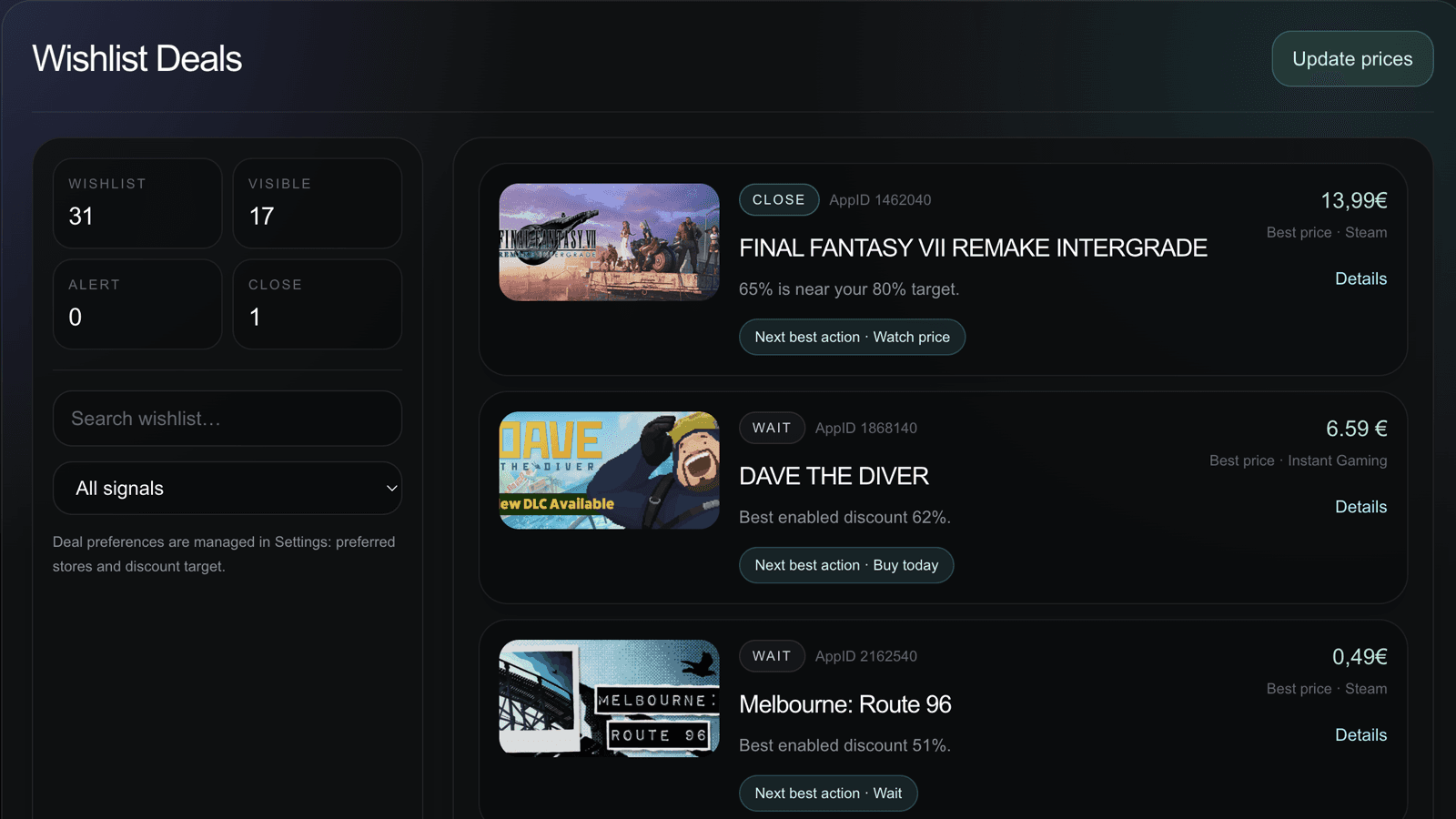
4
Watch future deals.
Keep wishlist deals useful, not just another way to feed the pile.
Steam isn't the problem.
Keeping track of everything is.
Steam is useful. SteamDB is useful. Deal sites are useful. Achievement pages are useful. The problem is that your play decisions end up scattered across all of them, plus a few browser tabs you swear you will close later.
Steam Companion brings the pieces together around one simple goal: play more. Finish more.
Privacy, simply
Read-only Steam login. No weird stuff.
Steam Companion uses Steam OpenID to identify you and read available Steam data like profile, library, wishlist, playtime and achievements. It stores app preferences, filters, notes and saved states so the companion remembers how you use it. From Settings, you can disconnect Steam, clear local data and delete cloud profile data.
✓Read-only Steam login.
✓No Steam account modifications.
✓You own your preferences, notes and saved states.
✓Disconnect anytime from Settings.
✓Some external store links are affiliate links — same price for you, it just supports the project.
Steam Companion helps you decide what to play next, organize your backlog, track wishlist deals, monitor achievements and keep an eye on free PC games—all without jumping between multiple websites.
Is this just another wishlist tracker?
No. Wishlist deals are useful, but the backlog is the point. The whole app is built around helping you play more of the games you already own.
Does it modify my Steam account?
Nope. Steam Companion uses read-only Steam login. It can read available Steam data for the app, but it does not change your account, games, wishlist or achievements.
Is every external store match guaranteed?
No. Some matches are marked as candidates because editions, bundles and DLC love making simple price comparisons weird.